
A slow Shopify store is rarely fixed by chasing a single speed score.
One store may struggle because a product image is discovered too late. Another may have a fast initial load but become sluggish when customers choose variants or add products to the cart. A third may be carrying years of third-party scripts, theme customizations and app code that collectively create unnecessary work for the browser.
That is why effective Shopify speed optimization should begin with diagnosis rather than a generic checklist.
The goal is not to make every performance tool display the highest possible number. The goal is to identify the bottlenecks that affect real visitors, fix the ones that matter, and verify that those changes improve the storefront without removing features that genuinely support the business.
Start With Real-User Performance, Not a Single Lighthouse Score
Shopify distinguishes between field data and lab data.
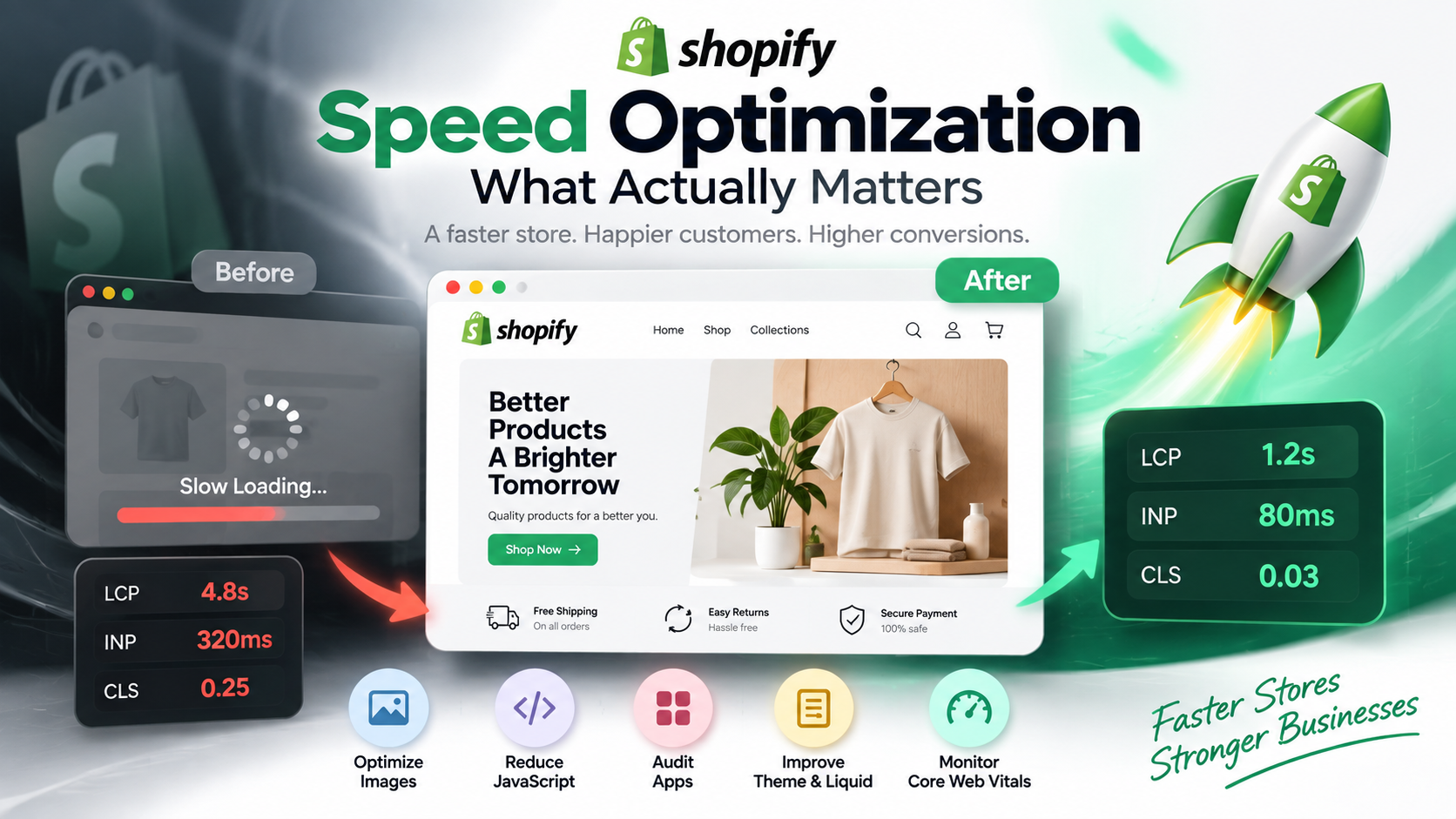
Field data shows what actual visitors experience across different devices, networks, page types and locations. Shopify's Web Performance reporting uses real-user performance data and tracks the three Core Web Vitals: Largest Contentful Paint, Interaction to Next Paint and Cumulative Layout Shift.
Lab tools such as Lighthouse, PageSpeed Insights and Chrome DevTools are still extremely useful, but their purpose is different. They provide a controlled environment for reproducing problems, inspecting resource loading and testing changes.
A practical rule is:
Use field data to decide what needs attention. Use lab data to investigate why it is happening. Then return to field data to confirm whether the change improved the experience for real customers.
This distinction matters because one Lighthouse run is not your entire customer experience. Shopify notes that individual Lighthouse results can vary, while real visitors use different devices, connection speeds and browsing conditions.
Know Which Core Web Vital Is Actually Failing
Google's current Core Web Vitals cover three different parts of the experience.
Metric
What it tells you
Good threshold
Largest Contentful Paint - LCP
How quickly the main visible content appears
2.5 seconds or less
Interaction to Next Paint - INP
How quickly the page responds to interactions
200 ms or less
Cumulative Layout Shift - CLS
How visually stable the page remains
0.1 or less
These thresholds are evaluated at the 75th percentile of page visits.
The important point is that each metric usually leads you toward a different category of problem.
Poor LCP may point toward a hero or product image that loads too late, render-blocking JavaScript or CSS, slow Liquid execution, or important content being created through JavaScript instead of arriving in the initial HTML.
Poor INP usually deserves a closer look at JavaScript and browser main-thread work. A page can appear quickly but still feel slow when a customer opens a menu, selects a product variant or interacts with the cart.
Poor CLS means visible content is moving unexpectedly. Images without reserved dimensions, late-loading fonts, injected banners, popups and other dynamically inserted elements can contribute to this problem.
Treating all three metrics as a single "speed problem" makes troubleshooting harder.
Do Not Optimize What Shopify Already Handles
Shopify already provides important pieces of the performance infrastructure.
Its storefront platform uses a global CDN and supports technologies including HTTP/3, Brotli and gzip compression. Theme assets served through Shopify's infrastructure benefit from these platform-level optimizations without the merchant building a separate delivery system.
This changes where your attention should go.
For a conventional Shopify storefront, the useful optimization work is usually closer to the store itself: theme architecture, Liquid code, images, JavaScript, CSS, fonts, app integrations and third-party services.
Trying to solve a theme or script problem by adding another layer of infrastructure can create complexity without addressing the actual cause.
Audit Apps and Third-Party Scripts by Cost and Business Value
Apps deserve serious attention, but "apps make Shopify slow" is too simplistic.
Some apps add little storefront overhead. Others inject substantial JavaScript, CSS, tracking or external requests. Analytics platforms, review widgets, chat tools, personalization systems, testing tools and marketing scripts can all compete for browser resources.
Shopify's current performance guidance recommends inventorying third-party scripts and identifying the ones responsible for the most transfer size, scripting time or main-thread blocking. Tools such as Lighthouse Treemap, Chrome DevTools Coverage, the Performance panel and network request blocking can help isolate individual offenders.
The business question is not simply, "Can we remove this app?"
It is, "Does the value this feature provides justify the performance cost it creates?"
A review system that materially supports purchase confidence may deserve its place. An abandoned experiment, unused popup tool or duplicate analytics script probably deserves much more scrutiny.
Also check what happens after an app is uninstalled. Shopify notes that removing an app does not always remove every script, stylesheet or Liquid snippet previously added to the theme. Theme files and the rendered page should be inspected to confirm that obsolete code is genuinely gone.
Fix JavaScript Before Trying to Hide Its Cost
Too much JavaScript is particularly important when INP is weak.
JavaScript competes for the browser's main thread, which is also responsible for processing user interactions, layout and rendering. If that thread is busy when a shopper clicks Add to Cart or selects a variant, the interface can appear unresponsive even when the page originally loaded quickly.
The first question should be whether a script needs to run at all.
Removing unnecessary JavaScript is usually preferable to downloading it and then trying to make its execution less disruptive.
For code that is genuinely required, non-critical scripts can often be deferred. Independent third-party scripts may sometimes use asynchronous loading where execution order does not matter. Features that are not needed until a visitor interacts with them may also be candidates for interaction-based loading.
The correct implementation depends on what the script does. Blindly deferring every file can break functionality, tracking or content that must be available during the initial render.
Treat the LCP Image Differently From Other Images
"Lazy-load your images" is incomplete advice.
Images below the initial viewport are often appropriate candidates for lazy loading. The image responsible for Largest Contentful Paint usually is not.
Shopify specifically recommends that the LCP image should not be lazy-loaded. When the main hero or product image is the LCP element, it can be loaded eagerly and marked with fetchpriority="high" so the browser knows it is important. Shopify cautions against applying high fetch priority indiscriminately because competing priorities can reduce the benefit.
Responsive image delivery matters as well.
Shopify's image_url and image_tag Liquid filters can generate responsive image markup, including appropriate image candidates and dimensions. Supplying dimensions also helps the browser reserve space before the image appears, reducing avoidable layout movement.
Hero implementation matters too. Shopify recommends using an actual image element rather than hiding important LCP imagery inside a CSS background when early image discovery is important.
The practical objective is not simply "compress every image." It is to deliver the appropriate image size, at the appropriate priority, for the position and device where it is being displayed.
Investigate Liquid When Server Response Is the Bottleneck
Not every Shopify performance problem is happening in the browser.
Shopify renders Liquid templates before sending the page HTML to the visitor. Expensive Liquid execution can therefore increase Time to First Byte and delay everything that follows.
Potential problems include deeply nested loops, repeated work inside loops, unnecessary metafield access and loading more product or variant information than the initial page actually needs.
The Shopify Theme Inspector for Chrome exists specifically to profile Liquid rendering. Its flame graph can identify templates, snippets and repeated operations consuming disproportionate rendering time.
This is where measurement prevents wasted development effort.
If TTFB is healthy but LCP is poor, spending hours micro-optimizing Liquid is unlikely to address the primary bottleneck. If TTFB itself is consistently weak and Theme Inspector identifies expensive template logic, Liquid becomes a much stronger candidate.
Do Not Ignore CSS, Fonts and Layout Work
Performance problems are not limited to JavaScript and images.
Large numbers of stylesheets can increase browser style calculation work. Font loading can contribute to visible layout changes. Animations that alter layout properties can add rendering cost. Content inserted late by apps can shift product information or purchase controls after the shopper has already begun reading the page.
Shopify's current performance guidance specifically recommends reducing unnecessary stylesheet fragmentation and managing font and CSS behavior with Core Web Vitals in mind.
Visual polish should support the shopping experience, not make the interface harder to load or use.
This is especially important on collection and product pages, where repeated cards, filters, menus, variant controls, sticky purchase components and app widgets can create far more browser work than a simple marketing page.
Should You Install a Shopify Speed Optimization App?
Sometimes a performance app can solve a specific problem.
It should not be your first diagnosis.
Installing another app before identifying the bottleneck can add another script or layer of behavior without solving the underlying issue. Shopify's own guidance emphasizes finding the resources responsible for poor performance and measuring their cost before deciding how to optimize them.
If your actual problem is an oversized LCP image, solve the image-loading problem.
If the problem is an unnecessary third-party script, removing or changing that script is more direct.
If Liquid rendering is slow, investigate the theme.
If an optimization app has a specific capability that addresses a measured bottleneck, test it before and after and keep it only when the evidence supports the trade-off.
A Practical Shopify Speed Optimization Workflow
A repeatable process is more useful than a collection of isolated tricks.
- Establish a baseline using Shopify's real-user Web Performance reporting and identify which Core Web Vital and page types are weak.
- Segment the problem where possible by mobile versus desktop, page type and relevant visitor conditions.
- Reproduce the issue with Lighthouse, Chrome DevTools or another suitable lab tool.
- Identify the responsible resource or code path instead of applying unrelated optimizations.
- Change one meaningful factor at a time so the impact can be measured.
- Retest under consistent lab conditions before deploying broadly.
- Monitor field data after deployment to confirm that the improvement reached real customers.
Shopify recommends this basic field-to-lab-to-field approach because performance work should be driven by evidence rather than isolated scores.
Do You Need a Faster Theme or Better Optimization?
A poor score does not automatically mean the store needs to be rebuilt.
Targeted optimization is usually the more sensible starting point when the theme remains maintainable and the bottleneck can be traced to specific imagery, JavaScript, applications, Liquid logic or styling.
A larger theme refactor or rebuild becomes more reasonable when performance problems are structural: extensive legacy customization, duplicated functionality, large amounts of difficult-to-maintain code, or an architecture that makes every new feature add more technical debt.
Performance should also be considered alongside the wider buying experience. A storefront that loads extremely quickly but removes useful product information, trust elements or necessary functionality in pursuit of a score has not necessarily become a better store.
That same principle applies to website conversion more broadly: performance is one source of friction among several, alongside clarity, usability, trust and the path toward purchase.
Stop Chasing a Perfect Score
Google does use Core Web Vitals as part of its ranking systems, but Google explicitly states that strong Core Web Vitals do not guarantee top rankings. Page experience is broader than any single performance measurement.
Shopify similarly advises merchants to balance features with performance instead of assuming that a perfect performance score should be the objective.
For an e-commerce business, the better question is:
Does the storefront load its important content quickly, respond reliably when customers interact with it, remain visually stable, and support the features customers actually need?
That is what Shopify speed optimization should be trying to improve.
If your store has performance issues that are difficult to trace across theme code, apps, media and third-party integrations, Mashhoori's Shopify Development and Speed Optimization capabilities can support a more focused technical review and implementation path.
Need a Website That Turns Visitors Into Customers?
Mashhoori combines modern web development, conversion-focused design and digital strategy to help businesses build stronger online experiences.